Configuration files
Everything caelum does is set in one configuration document — the tree you see under Settings. Editing it value by value in the browser is fine for one change. For anything more, caelum reads and writes the configuration as a JSON file:
- Export saves the whole configuration of a camera to a file — a backup, or a starting point for another camera.
- Import… reads a file back. The file does not have to be a whole configuration: a few lines naming just the values you want to change are enough. Everything the file does not mention stays as it is.
That second point is what makes files useful day to day: you can keep a small file such as brno-site.json or night-exposure.json, apply it to one camera or ten, and see exactly what it changes before it does.
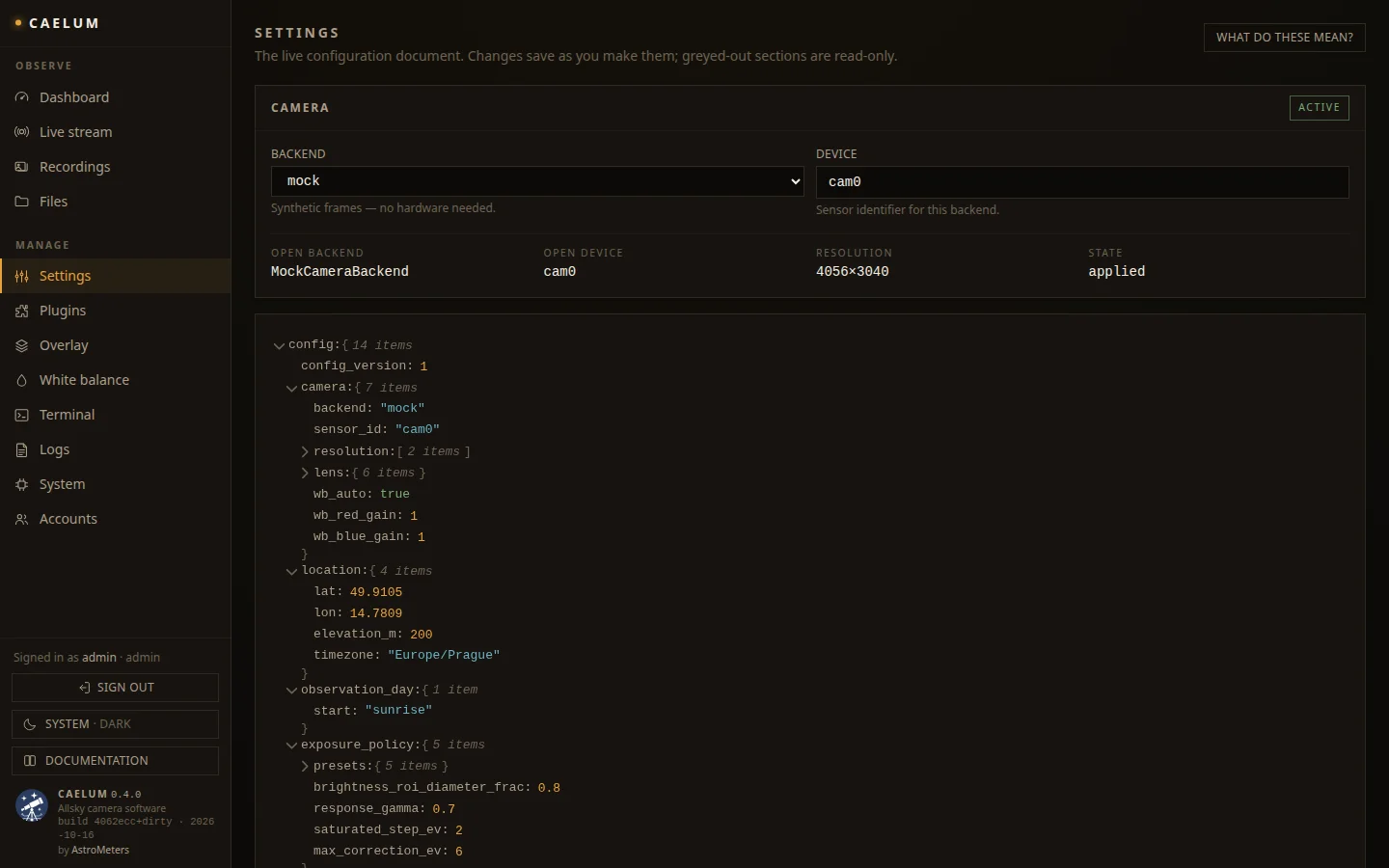
Both are on the Settings page, admin only, at the top next to What do these mean?:
A first partial file
Say the camera was set up with the default location and you want to give it the right coordinates. Create a file location.json:
{
  "location": {
    "lat": 49.1951,
    "lon": 16.6068,
    "elevation_m": 237
  }
}
and on Settings choose Import… and pick the file. Nothing changes yet. caelum shows a panel Import location.json listing every value the file would change:
| Setting | Now | From the file |
|---|---|---|
location.lat | 50.0755 | 49.1951 |
location.lon | 14.4378 | 16.6068 |
location.elevation_m | 200 | 237 |
Check it and press Apply 3 changes — or Cancel, and the camera stays exactly as it was. location.timezone is not in the file, so it is not in the list and keeps its value.
Applied values take effect right away, the same way as an edit in the tree: the next frame already uses them. No restart is needed — the one exception is processing, which is read at startup only.
What the settings mean
The configuration has these sections — the same in the Settings tree, in an export and in a partial file. Each links to the page that explains its values.
| Section | What it sets | Explained in |
|---|---|---|
config_version | A change counter the camera keeps itself. Read-only. | — |
camera | Camera backend and device, resolution, lens, white balance. | Camera backends |
location | Latitude, longitude, elevation and time zone of the site — everything that follows the sun depends on it. | Concepts |
observation_day | When an observation day starts ("sunrise" or a local time "HH:MM"); recordings and keograms are grouped by it. | Plugins |
exposure_policy | Exposure and gain limits and the brightness target per sky period, and how fast the exposure follows. | Exposure control |
storage_policy | In which periods full raw frames are kept, thumbnail size and quality, capture interval. | Storage & retention |
processing | Where per-frame processing runs. Read at startup only; rarely changed. | Capture programs |
capture | Which capture program runs, and its parameters. | Capture programs |
retention | How long frames stay on the camera's disk and how much space stays free. | Storage & retention |
upload | Where frames are uploaded, how, and under which camera name. | Upload & archive |
redis | How caelum reaches its Redis. Read-only, never imported. | Deployment |
auth | Login, preview access, session length, terminal. | Access & security |
update | Where software releases come from. | Updates |
plugins | Each plugin on or off, its order and its options. | Plugins |
How the file is merged
The rules are short, and they are the same for the web page and the API:
Sections and objects are merged key by key. A value present in the file replaces the current value; a key missing from the file keeps the current value. This works at any depth, so a file can reach a single value deep in the tree:
json{ "exposure_policy": { "presets": { "night": { "target_ev": -1.6 } } } }changes the night target and nothing else — not the other night values, not the other presets.
Lists are replaced whole. A list in the file is the new list, not something added to the old one. With
json{ "storage_policy": { "raw_periods": ["nautical_twilight", "astronomical_twilight", "night"] } }the camera keeps raw frames in exactly those three periods. To add one period, write the full list including the periods already there.
Plain values are replaced. Numbers, strings,
true/false.nullis not a way to "unset" a value; write the value you want instead (the defaults are in a freshly exported file of a new camera, and inconfig/default.json).Two sections are never imported:
config_version(a counter the camera keeps itself) andredis(how this camera reaches its own Redis). If a file contains them — an export never does, but an old or hand-made file might — they are skipped and the import panel says Not imported: config_version, redis (always kept from this camera).All or nothing. The merged result is validated against the full schema before anything is applied. A misspelt key, a value of the wrong type or out of range — and the whole file is refused, with the reason naming the offending key. A file can never leave a camera half-changed.
A file that changes nothing is reported as such — … matches the current configuration — nothing to import. — so importing the same file twice is harmless.
Export
Settings → Export downloads the configuration as caelum-config-<camera_name>-<date>-<time>.json. It is the complete document, every section with every value — minus config_version and redis, so the file can be imported back here or on another camera as it is.
Good moments to export:
- before a software update (see Updates),
- before trying out a different exposure setup,
- once a camera works well — the file is the recipe for the next one.
The export contains no passwords and no keys: accounts live in auth.json, the upload key and S3 credentials in their own files (see Access & security). It does contain the camera's location, upload host and user, so treat it as you would any other description of the installation.
Making a partial file
There are two easy ways:
- Write it by hand from the keys you see in the Settings tree. Each dotted path in the tree (
exposure_policy→presets→night→target_ev) becomes nested objects in the file. - Cut down an export. Export, open the file in an editor and delete every section you do not want to carry over. What is left is your partial file. This is the safest way to get key names right.
From the command line, jq makes the cut-down version in one step:
# Only the location and the exposure policy of an exported file
jq '{location, exposure_policy}' caelum-config-cam1-20261027-201500.json > site.json

# Only the night preset
jq '{exposure_policy: {presets: {night: .exposure_policy.presets.night}}}' \
  caelum-config-cam1-20261027-201500.json > night.json
Keep files small
A partial file says what it is for. night-exposure.json with four values in it is easy to review, to apply to another camera, and to apply again after an experiment. A full export applied to a different camera also carries its location, upload target and camera name — usually not what you want.
Examples
Each of these is a complete file, ready to import.
Location and time zone
{
  "location": {
    "lat": 49.1951,
    "lon": 16.6068,
    "elevation_m": 237,
    "timezone": "Europe/Prague"
  }
}
Night exposure — a slightly darker sky background, and at most 10 s per frame (the default is 15 s) for shorter star trails:
{
  "exposure_policy": {
    "presets": {
      "night": { "target_ev": -1.6, "exposure_us_max": 10000000 }
    }
  }
}
See Exposure control for what each value does.
Upload to an archive server
{
  "upload": {
    "enabled": true,
    "transport": "rsync",
    "remote_host": "archive.example.org",
    "remote_user": "allsky",
    "remote_base_path": "/var/www/allsky-data"
  },
  "camera": { "identity": { "slug": "brno-1", "name": "Brno 1" } }
}
The SSH key itself is not part of the configuration — see Upload & archive.
Keep local data longer
{ "retention": { "max_age_days": 7, "min_free_space_mb": 2048 } }Plugins — turn the timelapse on and the meteor detection off; order and settings of both stay as they are:
{
  "plugins": {
    "timelapse": { "enabled": true },
    "meteor_detection": { "enabled": false }
  }
}
A plugin's settings is an object too, so a single option inside it can be changed the same way. See Plugins for the options.
Release channel — follow a different update manifest (see Updates):
{ "update": { "manifest_url": "https://example.org/caelum/beta/manifest.json" } }Several sections at once — any of the above can be combined in one file:
{
  "location": { "lat": 49.1951, "lon": 16.6068, "elevation_m": 237 },
  "camera": { "identity": { "slug": "brno-1", "name": "Brno 1" } },
  "retention": { "max_age_days": 7 }
}
Setting up another camera
To make a second camera behave like the first:
- On the first camera, Settings → Export.
- Cut the file down to what should be shared — typically
exposure_policy,storage_policy,capture,processing,pluginsand the shared parts ofupload. Leave outlocationif the cameras stand elsewhere, and anything that identifies a camera (camera.identity). - On the new camera, Settings → Import… with that file; read the list of changes, Apply.
- Then a second, small file — or the Settings tree — for what is specific to this camera: its location and its name.
The camera section (backend, sensor, lens) is imported like any other and applied within one capture cycle. Only carry it over between cameras with the same hardware.
Errors and what they mean
| Message | Cause | What to do |
|---|---|---|
| … is not valid JSON: … | A syntax error — usually a trailing comma, a missing quote or a comment (JSON has no comments). | Fix the file; the message gives the position. Any JSON validator or jq . file.json points at the spot. |
| … must hold a JSON object … | The file is a list or a single value. | The top level must be { … } with section names as keys. |
| … can't be imported: … Extra inputs are not permitted | A key that does not exist — a typo, or a key from a newer caelum release. | Check the spelling against the Settings tree. If the file comes from a newer release, update this camera first. |
| … can't be imported: … Input should be … / … less than or equal to … | A value of the wrong type or out of range. | The message names the key and the allowed range. |
| … matches the current configuration — nothing to import. | Every value in the file is already set. | Nothing to do. |
Over the API
The same import is available to scripts, as an admin, at POST /api/config/import:
{ "config": { "location": { "lat": 49.1951 } }, "dry_run": true }dry_run: true(the default) only reports what would change;dry_run: falseapplies it.- The answer lists
changes(each withpath,old,new), theignoredsections, whether it wasapplied, and the resultingconfig. - An invalid file answers 422 with the reason, and nothing is applied.
GET /api/config/export returns the export file. PUT /api/config with {"patch": {…}} merges a patch by the same rules without the preview and without skipping config_version/redis — prefer the import endpoint.
A complete session with curl — log in, look, apply:
CAM=https://camera.local          # add -k while the camera has a self-signed certificate
JAR=$(mktemp)

curl -sS -c "$JAR" -H 'Content-Type: application/json' \
  -d '{"username": "admin", "password": "…"}' "$CAM/api/auth/login" > /dev/null

# What would night.json change?
jq '{config: ., dry_run: true}' night.json |
  curl -sS -b "$JAR" -H 'Content-Type: application/json' -d @- "$CAM/api/config/import" |
  jq '.changes'

# Apply it
jq '{config: ., dry_run: false}' night.json |
  curl -sS -b "$JAR" -H 'Content-Type: application/json' -d @- "$CAM/api/config/import" |
  jq '{applied, changes: [.changes[].path]}'

# Backup of the whole configuration
curl -sS -b "$JAR" -OJ "$CAM/api/config/export"
Run the same loop over a list of camera addresses to roll one file out to a whole network of cameras; with dry_run: true first, you see every camera's differences before changing any of them.
Where the configuration lives
On an installed camera the configuration is /etc/caelum/config.json (CAELUM_CONFIG_DIR). Every change — from the tree, an import or the API — is validated, applied in memory immediately and written to that file within about a second, atomically, so a power cut never leaves a broken file. The file is outside the software releases, so it is kept across updates.
Editing config.json directly is possible but needs a restart (sudo systemctl restart caelum), and a mistake there stops caelum from starting. A partial import is the safer route for almost everything.